
- en
- fr
Table of contents
AssembleEPS
Description
By using the virtual PDF printer, PDF document can easily be created from any software which is able to print. We got a problem when we want to assemble in one PDF document, documents coming from different source. That software try to solve that issue.
⇑Documentation
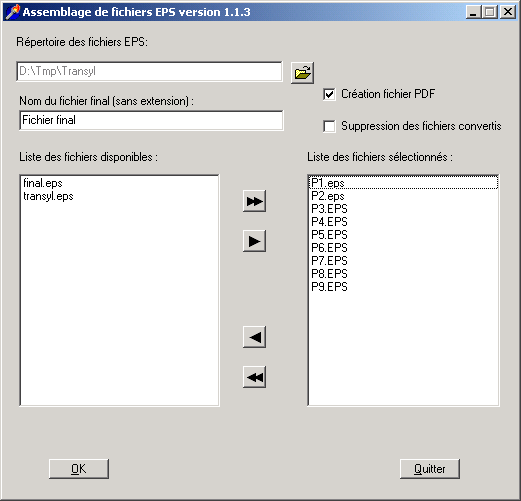
Building steps are as follow:
- print each document on the postscript printer, preferably by numbering pages (ex: p001.eps)
- put all 'eps' files in the same directory (folder)
- launch AssembleEPS.
- select directory where are stored 'eps' files.
- available files are listed and sorted.
- select one by one file to be added. Use the double arrow to select all in the displayed order.
- give a final filename (without extension).
- start assembling / conversion.
Resulting PDF file is stored in the same directory as 'eps' files.
⇑Use
For users
You have to install ghostscript http://www.cs.wisc.edu/~ghost/ in its default directory (c:\gs) otherwise you will have to modify pdfwrite.rsp and ps2pdf.bat.
Install also a postscript printer (Apple laserwriter for example) and connect it to File: when selecting communication port.
For programmers
- Delphi 6
Screenshot
License
That software is free in the respect of 'GNU General Public License' (version 2) from Free Software Foundation. It is supplied as it is and without any warranty.
⇑Download
For users
-
Windows binary:
aseps_exe.zip
 (304 Kb)
For programmers
-
Sources:
aseps_src.zip (7 Kb)
History
| Date | Version | Changes | Status |
|---|---|---|---|
| 04 August 2002 | 1.1.3 | First published version. | In use |


